Personalization
Personalize your workflows using user properties.
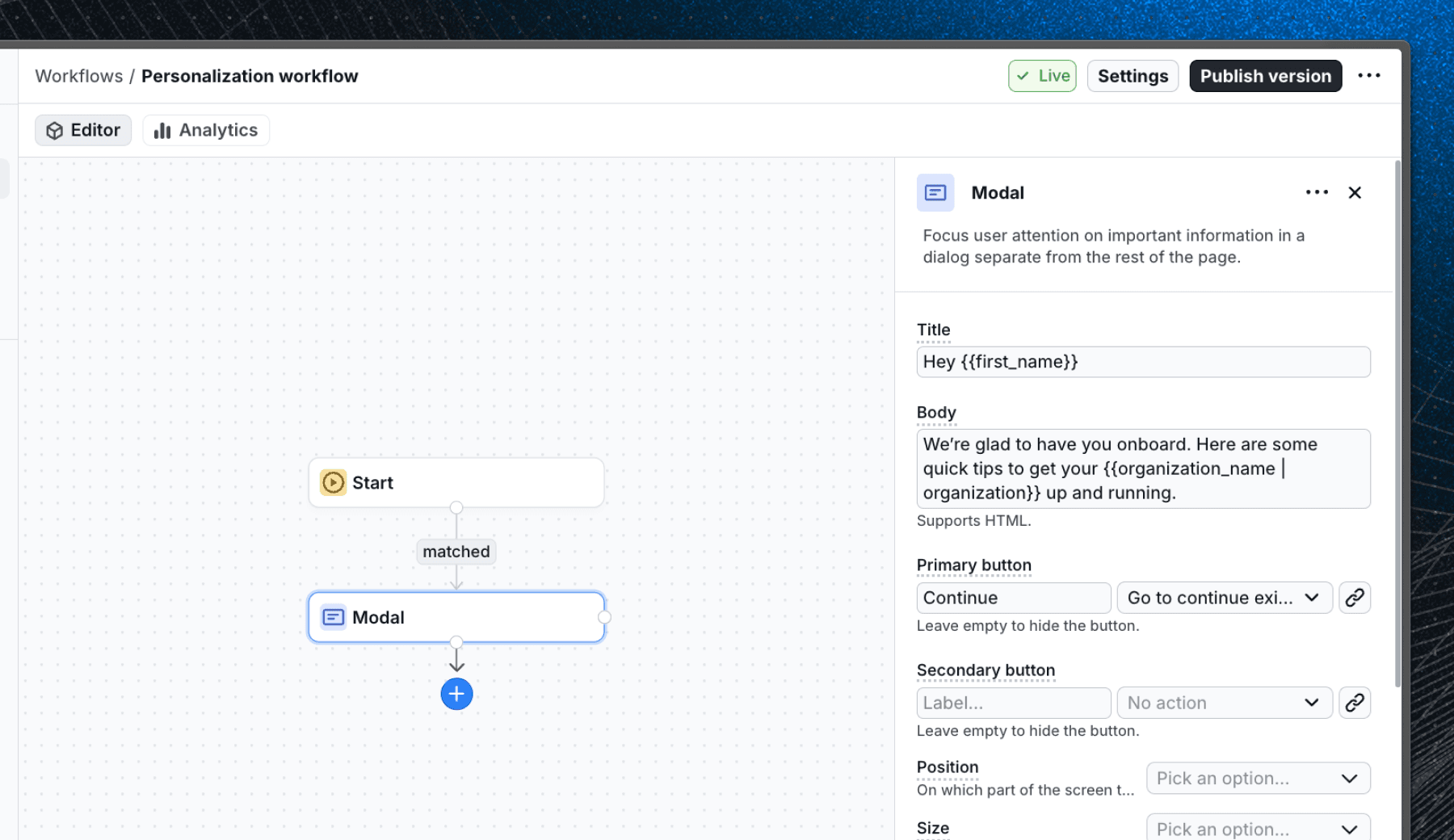
Overview
Personalization allows you to customize workflows based on user properties such as name, plan, or preferences. By leveraging these properties, you can create more engaging and relevant experiences for your users. For example, you can use a customer name in a message or link to a dynamic URL that includes user's ID.
Setup
Personalization uses any user properties that are available to the Flows SDK. To get started, ensure that your application is passing the necessary user properties to the SDK. Learn more about user properties.
Usage
Inserting user properties
To insert user properties into your workflow, use the personalization syntax {{ property_name }}. Replace property_name with the actual name of the user property you want to use. For example, to include the user's first name in a welcome message, you would write:
Welcome, {{ first_name }}This will dynamically replace {{ first_name }} with the actual first name of the user when the block is rendered.
Adding fallback values
Sometimes, a user property might not be available for the current user. In such cases, you can provide a fallback value to ensure that your message still makes sense. To add a fallback value, use the pipe symbol | followed by the fallback text. For example:
Hi, {{ first_name | there }}If the first_name property is not available, the message will default to Hi, there.
Supported properties
Any block property that accepts a text input can utilize personalization. Supported block properties are:
Last updated on