Concepts
Get a basic understanding of Flows so you can set up your organization and start using Flows effectively.
Organization
An organization is the container for all workflows, environments, users, and members. As a user, you can belong to multiple organizations and switch between them using the dropdown in the top-left corner of the application. Logging into Flows means accessing your personal account, which can be associated with multiple organizations.
Environments
Environments are isolated instances within your organization where you can publish and test workflows independently. Each environment has a unique environment key used to configure the Flows SDK. Common environments include development, staging, and production.
Workflows
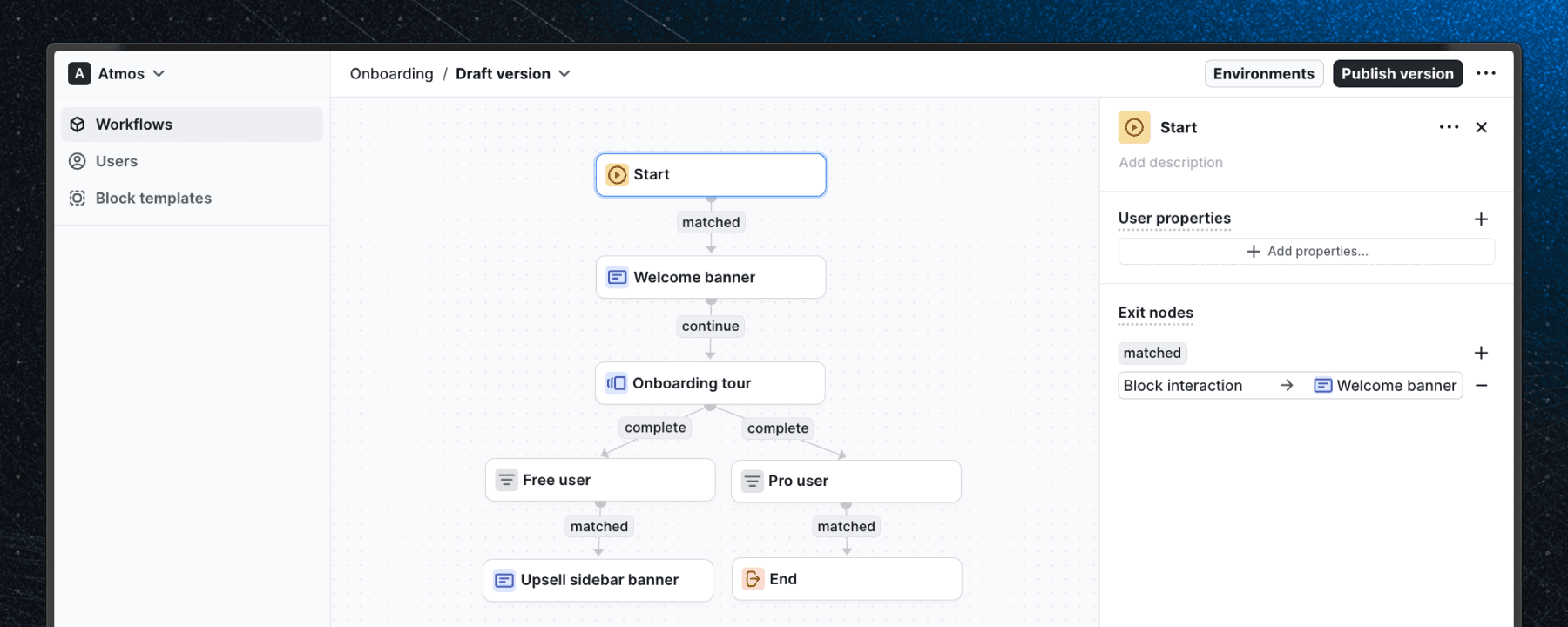
A workflow is a series of steps executed in a specific sequence, defined by the connections between blocks and their conditions. In the workflow editor, you can add blocks, connect them, and configure their properties.
Workflows are version-controlled and can be published to individual environments.
Blocks
Blocks are the individual steps of a workflow. They can represent UI elements, logical steps, or actions. Each block has customizable properties that define its behavior and can be connected to other blocks to form a workflow.
Block properties
Block properties are the configurable fields available to editors when a block is added to a workflow. They map directly to the props defined in your components. For instance, a "banner block" might include properties like title, description, button label, button link, and hide close button.
Components
Components are reusable UI elements that can be integrated into workflows within Flows to display information or interact with users. They contain properties and instructions, giving editors the power to create custom workflows. Each component must correspond to a matching component in your application.
Exit nodes
Exit nodes are connectors that allow workflows to leave a block. They include logic to determine which path should be followed when exiting. For example, clicking a button might trigger an exit node that leads to another block.
Paths
Paths connect blocks in a workflow, starting from an exit node of one block and ending at an entry node of another. They define the sequence of the workflow.
Users
A user is any person your application identifies to the Flows SDK using a userId. Flows uses this identifier to track user progress through workflows and store their state between sessions.
User properties
User properties are key-value pairs that describe a user, such as their plan, role, or account creation date. You can reference user properties in workflow conditions to control which users enter a given workflow.
MTU
An MTU (Monthly Tracked User) is a unique user who has experienced a Flows workflow within the current billing cycle. A user is counted as an MTU when the Flows SDK renders a component in their browser or when they enter a Delay block. MTUs are the primary billing metric, see Billing for details.
Tours
Tours are guided, step-by-step instructions designed to help users complete a specific task or understand a feature within your application. They are typically used for onboarding new users or highlighting new functionalities. Tours need to be part of a workflow.
Slot
Slots are places in your application where Flows can render components. They need to be defined manually in your codebase and then they can be referenced in the workflow editor to render Slottable components.
Last updated on