All releases
October 20, 2025
Component libraries
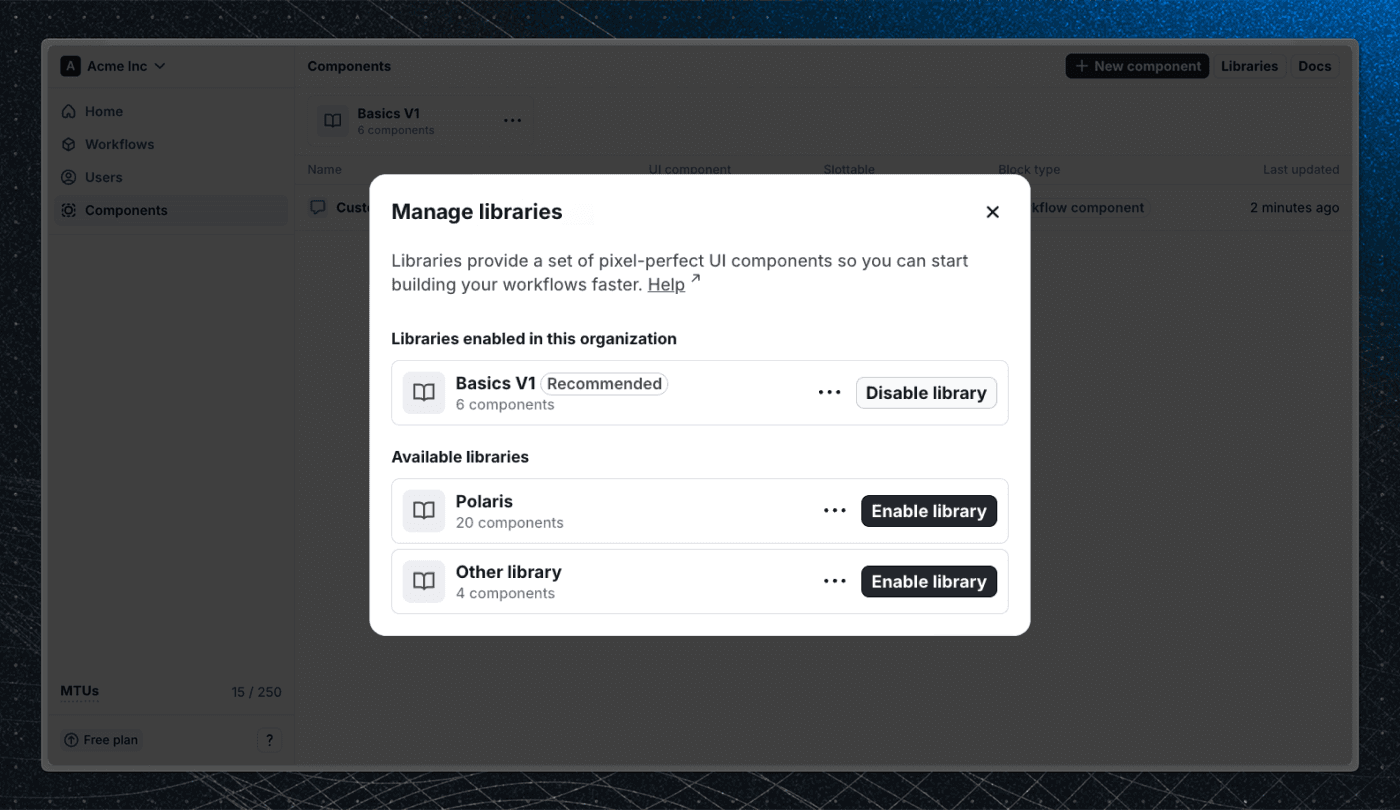
When we released Flows 2.0, we introduced Block templates as a way to create custom UI components for workflows. The name turned out to be confusing, so we’ve simplified it to Components.
Along with the rename, we’re adding Component libraries – a new way to manage the built-in components that come with Flows. Libraries let us ship new components without cluttering your workspace or causing breaking changes.
If you don’t use our built-in components, you can hide the entire library to make it clear which components your team should use.
Learn more in our docs.
Block connection UX improvements
Connecting blocks in the editor is now faster and more intuitive. When you hover over a block with no connections, a plus icon appears, allowing you to quickly add and connect a new block.
You can also create and connect a new block directly from the exit nodes menu when selecting from existing blocks.
Other improvements
- Added Block activated data to analytics to help you better understand how blocks are being used in workflows.
Bug fixes
- Fixed an issue where workflows with a tour block as the final block would not be marked as finished after the tour completed.