Examples library
Announcement banner
Add a dismissible announcement banner at the top of your app for feature launches.
This announcement banner example shows how to display a full-width dismissible notification bar at the top of your app using a custom component powered by Flows. Use it to announce feature launches, product updates, promotions, or any time-sensitive message without interrupting the user with a modal or popover.
Unlike a hardcoded banner, this one is driven by a Flows workflow. You control the copy, link, and timing from the Flows editor. Target specific user segments, schedule the banner for a release date, and retire it automatically once users dismiss it. No code deploy required to update the message.
Features
When a user enters the workflow, the banner slides in at the top of the application with a smooth animation. It includes:
- Badge: a small labeled chip (e.g. "New") that signals the announcement type at a glance.
- Message: a short announcement text configured in the workflow editor and updated without a code deploy.
- Learn more link: a configurable URL that opens the full announcement, changelog entry, or landing page in a new tab.
- Dismiss button: an X button that calls close() to advance the workflow and remove the banner. Flows remembers the dismissal so the banner does not reappear.
The banner is registered as a custom component in providers.tsx and rendered via a FlowsSlot placed above the main app layout. Flows injects the component into that slot when the workflow step is active.
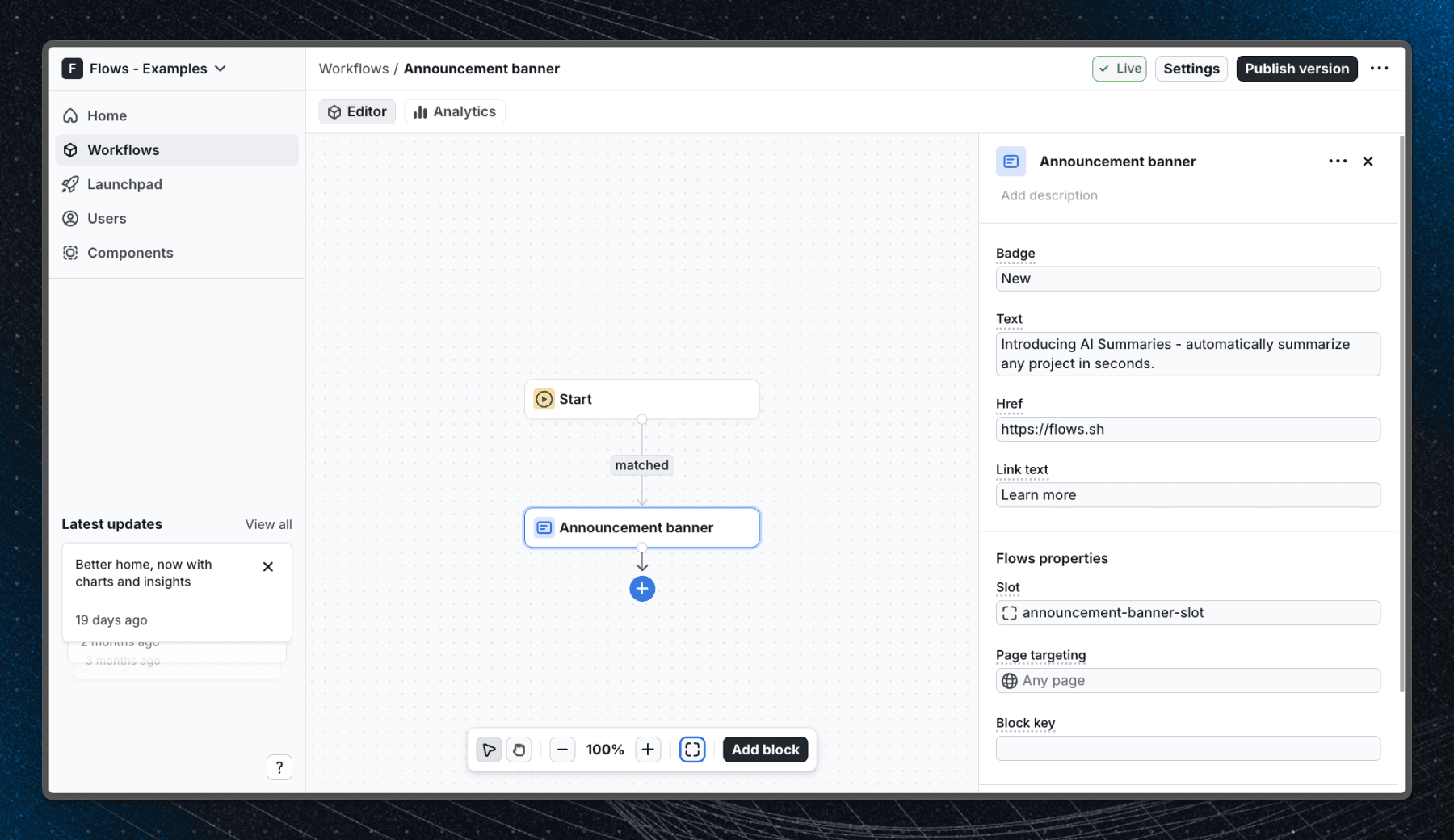
Below is a screenshot of how the workflow is set up in Flows:
Getting started
- Sign up for Flows if you haven't already. You can create a free account here.
- Clone the repository from GitHub and install the required dependencies in the project directory.
- Add your organization ID in the providers.tsx file.
- Recreate the announcement banner workflow using the custom AnnouncementBanner block in your organization and publish it.
- Run the development server with pnpm dev.
Learn more
To learn more about Flows take a look at the following resources:
Framework
Next.js
Tags
Explore more examples
Build anything with Flows
Build the product adoption experiences you've always wanted.