Overview
Guide users through your application with step-by-step, interactive experiences.
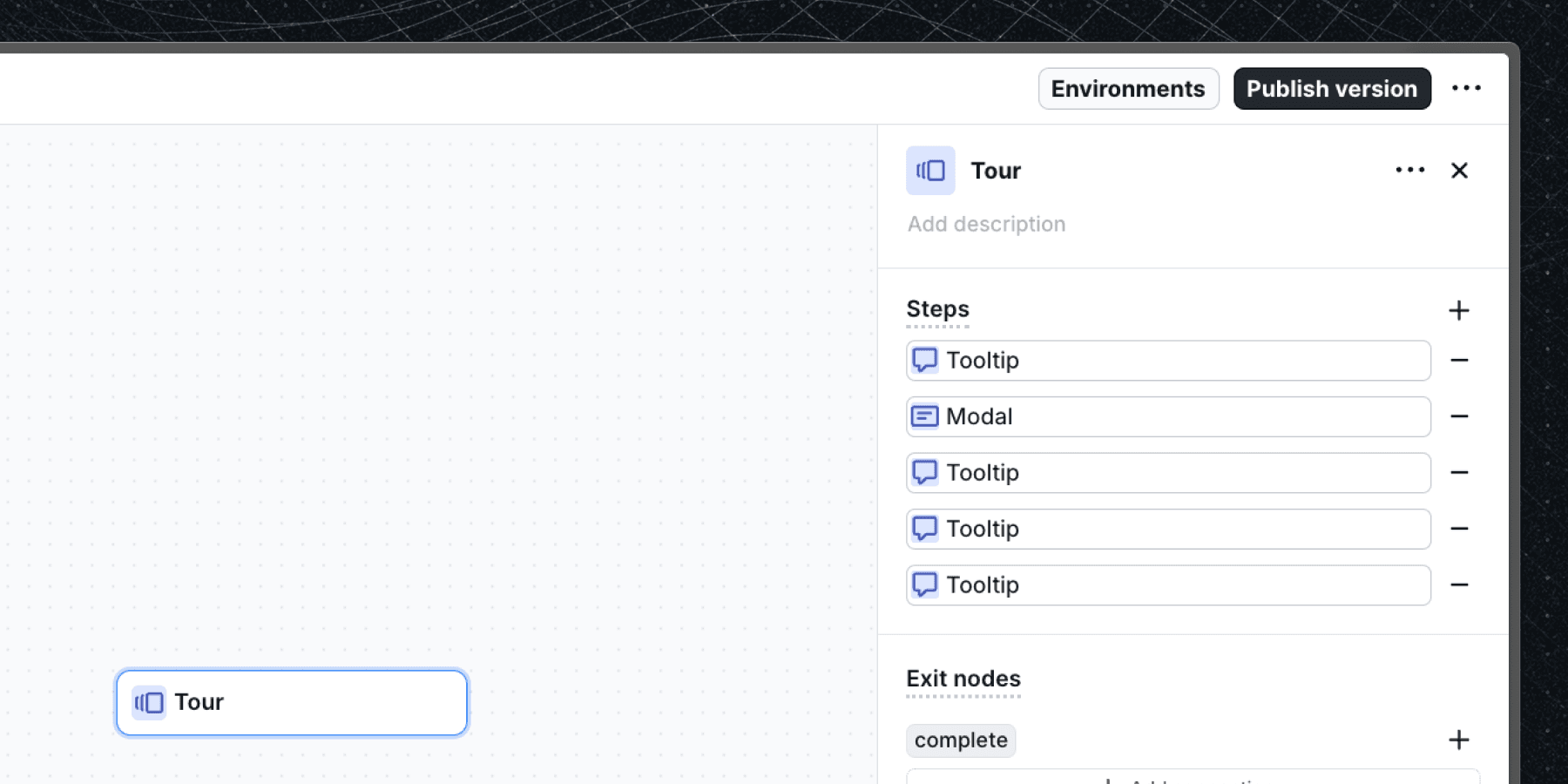
Overview
Tours are guided, step-by-step instructions designed to help users complete a specific task or understand a feature within your application. They are often used for onboarding users or introducing new features. Tours must be integrated into a workflow.
Create a tour
Tours can be created only as a part of a workflow. To create a tour, follow these steps:
- Add a tour block to an existing workflow using the Add block menu.
- Configure each step to define the sequence and content of the tour.
- Save and publish your workflow to make the tour available to users.
Tours vs. workflows
Although both tours and workflows use blocks, their purposes differ:
- Tours: Linear, step-by-step instructions designed to help users complete a specific task or understand a feature.
- Workflows: Versatile processes supporting complex sequences with logic, actions, and conditions.
When choosing between a tour and a workflow, consider:
- If the sequence is short and needs to be completed in one session, use a tour.
- For longer or multi-session sequences, use a workflow.
Benefits of tours
Tours are designed to provide a better user experience for step-by-step instructions. Their main benefits include:
- Low latency: When a tour is started, the whole sequence is loaded into the user's browser, making switching between steps instant.
- Forwards and backwards navigation: Users can navigate to the previous steps, making it easier to review instructions.
- State persistence: Tours remember the user's progress, even if they leave and return later. You can change this per tour with tour sessions, for example to restart a tour that the user abandoned.
Tour steps
Tours consist of tour-specific blocks from your block library. Each step behaves like a standard block but includes built-in connections to the previous and next steps through previous and continue exit nodes. A cancel exit node allows users to exit the tour at any step. You do not add these exit nodes yourself, the tour provides them. See the tour block documentation for more details.
Next steps
- Learn how the tour block works and how to configure it in the tour block documentation.
- Decide what happens to an abandoned or interrupted tour, and how many tours can run at once, in tour sessions.
Last updated on